Java 8 is still widely used, but the phrase “Java 8 end of life” does not refer to one universal date. The relevant timeline depends on the Java distribution, licence, type of use and support agreement. Oracle Premier Support for Java SE 8 ended in March 2022, while Oracle lists Extended Support until December 2030 for eligible customers. Other OpenJDK providers maintain their own support policies and dates.
Organisations running Java 8 should therefore make a deliberate choice rather than treating the platform as either fully supported or immediately unusable. The main options are to retain Java 8 with an appropriate support route, upgrade the application, package it with a managed runtime, deliver it through the browser, or replace it.
When does Java 8 support end
For commercially supported Oracle Java SE releases, Oracle’s current roadmap gives Java 8 a Premier Support end date of March 2022 and an Extended Support end date of December 2030. Sustaining Support is listed as indefinite, but it does not provide the same level of updates and fixes as Premier or Extended Support.
Oracle also states that free public updates and automatic updates for personal, development and other permitted uses will continue indefinitely unless it gives at least 18 months’ notice. Commercial use is governed by different licensing and entitlement rules. Organisations should check their exact deployment against the current Oracle roadmap, licensing terms and any support agreement rather than relying on a general Java 8 EOL date.
The Java deployment stack has a separate lifecycle. Java 8 is the final release that includes the Java plug-in and Java Web Start. Java 11 and later do not include these deployment technologies, so upgrading the JDK alone does not preserve an applet or JNLP launch workflow.
Java 8 options at a glance
| Option | Best fit | Main consideration |
| Retain Java 8 with support | Stable applications in controlled environments. | Confirm the distribution, licence, update source and support period. |
| Upgrade to a newer Java release | Applications whose code and dependencies can be changed and tested. | Newer Java versions may remove APIs or deployment technologies the application uses. |
| Package a private runtime | Desktop applications that can continue to be installed locally. | IT still owns endpoint deployment, updates and operating-system integration. |
| Run the application in the browser | Existing Java client applications that need modern browser access. | Test native dependencies, browser permissions, networking and real workloads. |
| Rewrite or replace the application | Applications that need wider functional or architectural change. | Usually the largest project and should be justified separately from the immediate support issue. |
Option 1 Retain Java 8 with a support route
Keeping an application on Java 8 can be reasonable when it remains useful, its environment is controlled and the organisation has a clear route to security fixes and technical support. That route might be an Oracle Java SE entitlement or support from another OpenJDK distributor.
Before choosing this option, document:
- Which JDK or JRE distribution is installed and who supplies its updates.
- Whether the deployment and use are covered by the applicable licence.
- How security updates will be tested and deployed across endpoints.
- Whether the application also depends on Java Web Start, the Java plug-in or another ageing desktop component.
- This option reduces immediate application change, but it does not remove the operational work of maintaining Java on user devices. It also needs a separate plan for any browser plug-in or Java Web Start dependency.
Option 2 Upgrade to a newer Java release
Moving to a newer LTS release can provide a more current runtime and longer support horizon. Oracle currently identifies Java 8, 11, 17, 21 and 25 as LTS releases, although the support and licensing terms differ between versions and users.
An upgrade is not only a runtime swap. Teams should test the application code, build system, third-party libraries, removed or encapsulated APIs, user interface and production integrations. The effort can be modest for a maintained application with current dependencies, or substantial for a Java 8 application that has not changed for years.
Applets and Java Web Start applications need additional planning. The deployment stack is absent from Java 11 and later, so the application needs a different launch and delivery route even if its code runs on a newer JVM.
Option 3 Package and manage a desktop runtime
A desktop application can be distributed with its own runtime rather than relying on a system-wide JRE. This gives the application owner more control over the runtime version and reduces conflicts with other Java applications on the same device.
The trade-off is that the application remains a desktop deployment. The organisation still needs to package, install, update and support it across the target operating systems and endpoints. This can be appropriate where local installation is accepted and the application relies heavily on desktop integration.
Option 4 Run the Java 8 application in the browser
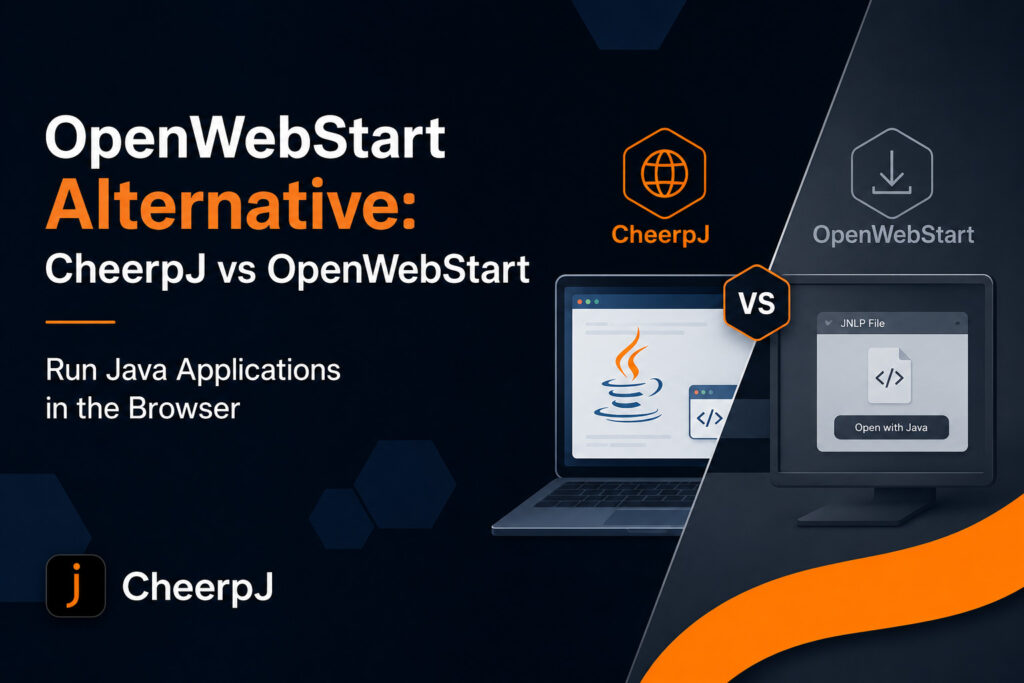
CheerpJ provides a WebAssembly-based JVM and OpenJDK runtime for modern browsers, with extensive compatibility for Java 8. It runs Java bytecode in the browser, so teams can deliver many existing applications through a web page without requiring a local Java installation or legacy browser plug-in.
This route can apply to several Java 8 deployment types:
- Swing and AWT desktop applications that need to be accessed through a browser.
- Java Web Start and JNLP applications that need an alternative launch route.
- Java 8 applets that no longer run in modern browsers through the original plug-in.
- Java libraries that developers want to call from JavaScript or TypeScript.
Browser delivery changes how users access the application without automatically changing the application into an HTML and JavaScript rewrite. Compatibility should still be tested. JNI libraries, native executables, direct operating-system access, file workflows and network requirements may need additional integration work.
For JNLP applications, follow the guide to run Java Web Start applications in the browser. For desktop user interfaces, see how to run Java 8 Swing applications in the browser.
Option 5 Rewrite or replace the application
A rewrite or replacement may be justified when the application also needs major functional, architectural or user-interface changes. It can remove long-term dependency on the original Java client, but it normally requires the most development, testing, data migration and user change.
Separate the immediate Java 8 support problem from the wider product decision. If the application still meets business needs, a supported Java 8 environment or browser deployment may provide continuity while the organisation assesses a longer-term replacement. If the application itself no longer meets requirements, extending its runtime life may only postpone necessary change.
How to choose the right Java 8 option
Start with the application’s actual dependencies and operating model:
- Identify the Java distribution, exact version and current update entitlement.
- Confirm whether the application is a desktop application, applet, JNLP application, server application or reusable library.
- List native libraries, local file access, device integrations and network protocols.
- Decide whether local installation remains acceptable for users and IT teams.
- Compare the cost and risk of continued support, upgrade, browser delivery and replacement over the same planning period.
- For an existing client application, a short technical assessment is usually more useful than choosing from support dates alone. Test the application with the proposed runtime or browser route, confirm its critical workflows and document any adaptations before selecting a migration plan.
Frequently asked questions
Has Java 8 reached end of life
There is no single Java 8 end-of-life date for every user and distribution. Oracle Premier Support ended in March 2022, while Oracle lists Extended Support for eligible customers until December 2030. Other providers publish their own support schedules.
Is Java 8 still receiving security updates
Updates remain available through routes that depend on the distribution, use and support entitlement. Organisations should confirm where their build comes from, whether their use is licensed and how long that provider will supply updates.
Do we have to replace a Java 8 application
Not necessarily. An organisation can retain Java 8 with suitable support, upgrade the application, package a runtime, deliver the existing application through the browser, or replace it. The right choice depends on application compatibility, operational requirements and the value of the application.
Can Java 8 applications run in modern browsers
Modern browsers do not support the original Java plug-in. CheerpJ instead supplies a WebAssembly-based JVM and OpenJDK runtime inside the browser, allowing many Java 8 applications, applets and JNLP applications to run without the legacy plug-in or a local JRE.
Can we upgrade a Java Web Start application to Java 11 or later
The application code may be upgradeable, but Java 11 and later do not include Java Web Start. The organisation therefore needs another launcher or a different delivery model as well as any code and dependency changes.
Next steps
Confirm the application type and current Java entitlement first. Then test the most realistic route: continued Java 8 support, a newer runtime, a managed desktop package, browser delivery or replacement. Use the application itself, rather than a generic EOL date, as the basis for the decision.
Run a JNLP application in the browser