Can You Convert Java Applications to HTML5?
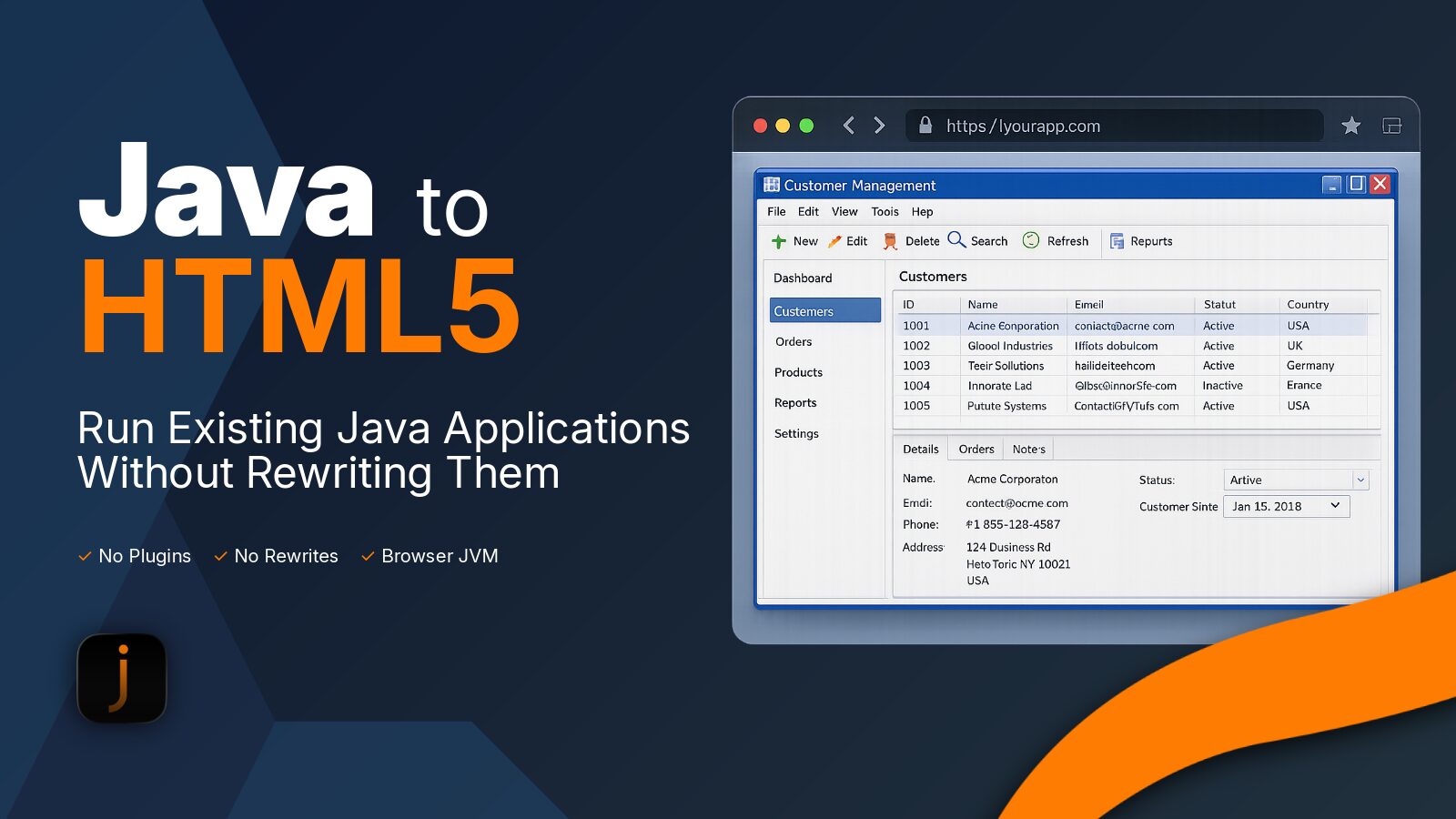
Short answer: yes. Modern Java applications can run in any HTML5-compatible browser without requiring users to install Java or browser plugins.
However, “converting Java to HTML5” doesn’t usually mean rewriting your application into HTML. Modern solutions use technologies such as WebAssembly and JavaScript to provide a Java runtime directly in the browser, allowing existing applications to run with minimal or no code changes.
This approach is particularly useful for organisations modernising legacy desktop applications, Swing applications, Java Applets and Java Web Start deployments.
What does “Java to HTML5” actually mean?
People searching for Java to HTML5 are often trying to achieve one of these goals:
- Run an existing Java application in a browser
- Remove the dependency on installing Java on every desktop
- Replace Java Applets or Java Web Start
- Make a desktop application accessible from any modern browser
- Extend the life of a business-critical application without a complete rewrite
Although the term “HTML5 conversion” is common, HTML5 is only part of the solution.
A Java application contains much more than user interface elements. It also includes compiled Java bytecode, the Java runtime, networking, graphics, file access and application logic.
Modern browser-based Java platforms provide these capabilities without requiring you to rewrite the application.
What actually converts to HTML5?
A common misconception is that a Java application is translated directly into HTML.
In reality, different parts of the application are handled in different ways.
| Java application component | Browser implementation |
|---|---|
| Java bytecode | Executed by a Java runtime running in the browser |
| Swing and AWT interface | Rendered inside the browser using HTML5 technologies |
| Java standard library | Provided by a browser-based OpenJDK runtime |
| Filesystem access | Browser virtual filesystem |
| Networking | Browser networking APIs |
| Web page | Standard HTML5 page hosting the application |
Instead of rewriting every screen or recreating the application in JavaScript, the browser provides the environment needed to execute the existing Java application.
For organisations with large enterprise applications, this dramatically reduces both cost and risk.
How CheerpJ runs Java applications in the browser
CheerpJ takes a different approach from traditional Java-to-JavaScript converters.
Rather than translating your entire application into JavaScript, CheerpJ provides a complete Java runtime that runs inside the browser.
Modern versions of CheerpJ combine:
- WebAssembly for high-performance execution
- JavaScript for browser integration
- A browser-based OpenJDK runtime
- HTML5 rendering for application interfaces
The result is that existing Java applications can run inside Chrome, Edge, Firefox and Safari without requiring browser plugins or a locally installed JRE.
For many applications, deployment simply becomes serving the existing application files from a web server.
Why WebAssembly matters
WebAssembly has transformed what is possible inside the browser.
Compared to older JavaScript-only approaches, WebAssembly provides:
- Faster execution
- Better startup performance
- Consistent behaviour across browsers
- Improved compatibility with existing Java applications
- Better support for large enterprise applications
CheerpJ combines WebAssembly with JavaScript to provide both high performance and full browser integration.
If you’d like to understand the technical architecture in more detail, read Bringing Java to the Modern Web with WebAssembly and How CheerpJ Works.
Do you need to rewrite your Java application?
Not necessarily.
One of the biggest advantages of CheerpJ is that existing applications can often be deployed without a full redevelopment project.
Typical applications include:
- Swing desktop applications
- Java Applets
- Java Web Start applications
- Internal enterprise tools
- Business applications built over many years
Rather than replacing the application, organisations can modernise how it is delivered.
This avoids the cost, risk and timescales associated with rewriting mature software from scratch.
Java to JavaScript converter vs browser-based Java runtime
Many developers searching for a Java to JavaScript converter are actually trying to solve a deployment problem rather than a programming problem.
Traditional converters generally translate Java source code into JavaScript. While useful for some projects, they are often designed for newly developed applications rather than large existing enterprise systems.
CheerpJ focuses on a different use case.
| Traditional Java to JavaScript converter | CheerpJ |
|---|---|
| Converts source code | Runs existing Java bytecode |
| Often requires application changes | Usually minimal or no application changes |
| Limited support for desktop applications | Supports Swing applications |
| Focused on new development | Designed for existing enterprise software |
This makes CheerpJ particularly well suited for organisations looking to extend the life of existing applications instead of rebuilding them.
Typical use cases
Organisations use CheerpJ to modernise applications including:
- Internal business applications
- Financial trading systems
- Manufacturing software
- Healthcare applications
- Government systems
- Oracle Forms environments
- Legacy Swing applications
- Java Applets
- Java Web Start deployments
Instead of requiring users to install Java, applications can be accessed directly through a standard browser.
Frequently asked questions
Can Java applications run in HTML5?
Yes. Modern browser technologies allow Java applications to run inside HTML5-compatible browsers without browser plugins.
Is Java converted into HTML?
No. HTML provides the web page that hosts the application. The Java application itself runs using a browser-based Java runtime.
Is Java converted into JavaScript?
Modern versions of CheerpJ use both JavaScript and WebAssembly. Rather than converting the entire application into JavaScript, they provide a Java runtime that executes Java applications directly inside the browser.
Can Swing applications run in the browser?
Yes. CheerpJ supports Swing applications, allowing existing desktop interfaces to run inside modern browsers.
Do I need the application source code?
Many existing Java applications can be deployed using compiled bytecode, making it possible to modernise applications even when the original development team is no longer available.
Which Java versions are supported?
CheerpJ supports modern Java applications while also providing compatibility for many legacy Java workloads. See the latest documentation for current Java version support.
Modernise Java without rewriting it
For many organisations, converting Java to HTML5 isn’t about rewriting an application. It’s about making an existing application accessible through a browser while preserving years of investment.
By combining HTML5, WebAssembly and a browser-based Java runtime, CheerpJ allows organisations to modernise Java applications, remove desktop Java dependencies and extend the life of business-critical software.
Whether you’re replacing Java Applets, migrating away from Java Web Start or bringing a Swing application to the web, modern browser technology makes it possible without starting again from scratch.