Networking
Networking with CheerpJ
Java networking code runs unchanged with CheerpJ, which carries its connections over the browser’s own networking. There are two cases:
- HTTP and HTTPS requests, made with the browser’s
fetch. - Generalised networking through Tailscale, for anything that is not HTTP(S), such as TCP and UDP sockets.
Enterprise deployments can also connect CheerpJ to a custom networking backend, for example to go through their own proxies or to use other transports such as WebSockets. Get in touch to discuss your setup.
HTTP and HTTPS requests

A Java application running with CheerpJ makes its HTTP and HTTPS connections, for example with java.net.URL and HttpURLConnection, through the browser’s Fetch API. No changes to the Java code are needed.
Because the requests are made by the browser, the browser’s security model applies:
- Requests to the page’s own origin (same scheme, host name and port) work as they do for any other web page.
- Requests to a different origin are subject to CORS: the server must allow cross-origin requests from the page.
- On pages served over HTTPS, HTTP requests are upgraded to HTTPS.
- TLS, certificate checks, proxies and cookies are the browser’s, so your certificate store and browser policies apply.
Generalised networking
Browsers do not give web pages raw TCP or UDP sockets. CheerpJ provides them through Tailscale, a VPN that carries the traffic over WebSockets. With Tailscale, the Java application can reach services on a private network, make peer-to-peer connections, or connect to the wider internet.
Tailscale is based on the WireGuard protocol. Its control plane manages the WireGuard keys of all the machines in the network and authenticates users, which gives you control over the network, user connections, authentication and security.
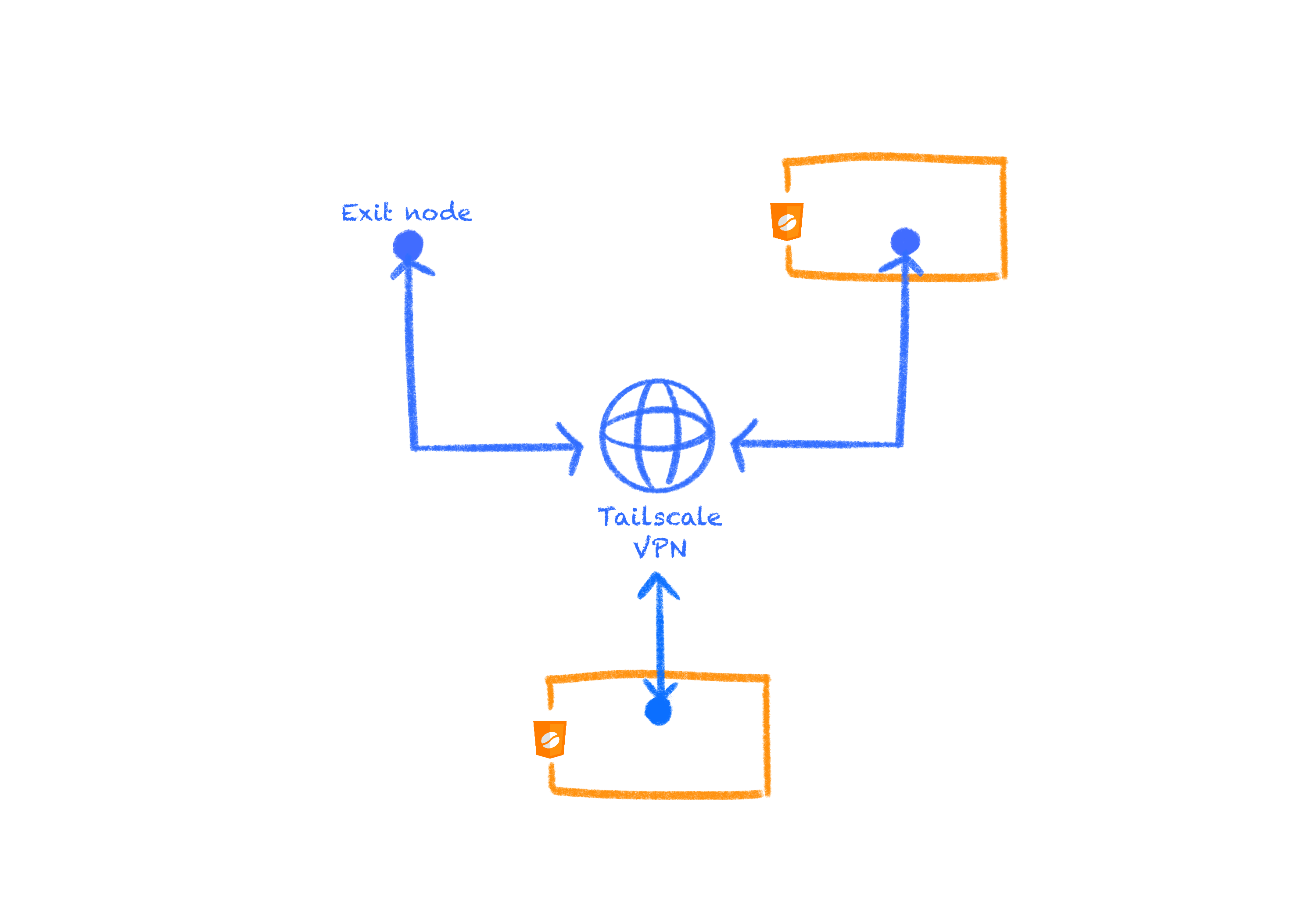
Why Tailscale?
Web pages can only make HTTP(S) requests, subject to CORS, and open WebSocket connections. Lower-level protocols such as TCP and UDP are not available to them. Carrying any other traffic from the browser requires a server outside the browser that unwraps it and forwards it to its destination.
CheerpJ does not carry your users’ traffic itself, since every application’s network traffic should be managed by its owner, according to its own needs. Tailscale provides the VPN and the WebSocket transport, so the traffic goes through a network you control.
Installing Tailscale
To give a Java application generalised networking without changing its code, install Tailscale on the server it needs to reach. The client in the browser joins your private Tailscale network, for example with an auth key, and then talks to your server over the VPN.
Connecting your application to a Tailscale network
To connect the Java application to your Tailscale network, pass the client’s authentication to cheerpjInit().
Example for pre-authenticated users or devices:
cheerpjInit({ tailscaleControlUrl: "https://my.url.com/", tailscaleAuthKey: "AuthKeyStringGoesHere",});InfoA combination of a user and a device connected to a Tailscale network is called a “node” in Tailscale terminology.
In this example:
tailscaleControlUrlis the URL of the Tailscale control plane, which verifies the user’s identity. Pass this option only if you are self-hosting the control server. Without it, CheerpJ uses Tailscale’s own control plane.tailscaleAuthKeyis an auth key that registers pre-authenticated users or devices. You can create an auth key in the Tailscale admin console.
Example that asks the user to log in on a different tab:
<a id="loginLink">Click here to login to Tailscale</a>const loginElem = document.getElementById("loginLink");
cheerpjInit({ tailscaleControlUrl: "https://my.url.com/", tailscaleLoginUrlCb: function (url) { loginElem.href = url; loginElem.target = "_blank"; // continue with login },});In this example:
tailscaleLoginUrlCbis a function that CheerpJ calls when the user needs to log in to Tailscale. It receives the URL of the control server’s login page, where the user completes the login. Here, the function sets it as the target of the link.
InfotailscaleLoginUrlCb and tailscaleAuthKey are mutually exclusive.
The cheerpjInit reference describes all the Tailscale options, including tailscaleDnsIp to set the DNS server and tailscaleIpCb to get the client’s IP address.
Self-hosting Headscale
Headscale is an open-source, self-hosted implementation of the Tailscale control server. With it, the whole network stays under your control. To self-host Headscale for use with CheerpJ, follow the official Headscale setup guide.